

Online shopping has fundamentally changed how customers evaluate products. Unlike traditional retail stores, shoppers can’t pick up an item, inspect its quality, or ask a sales associate questions before making a purchase. Instead, they rely almost entirely on what they can see.
That’s why product photography has become one of the most influential factors in eCommerce success.
Whether you’re selling fashion, beauty products, electronics, home décor, or luxury goods, your product images often determine whether a visitor continues browsing or clicks the “Add to Cart” button.
The numbers highlight just how important visuals have become. According to MDG Advertising, around 67% of consumers consider image quality “very important” when deciding whether to purchase a product online, ranking visuals above product descriptions and customer reviews in many buying decisions. Meanwhile, research from Google shows that online shoppers increasingly expect rich visual experiences—including multiple product images, zoom functionality, and videos—to feel confident about their purchases.
For businesses in Dubai and across the UAE, where digital commerce continues to expand rapidly, investing in professional product photography is no longer simply about making products look attractive. It’s about improving customer trust, reducing purchase hesitation, strengthening your brand, and ultimately increasing revenue.
Professional product photography also supports every stage of your digital marketing strategy. The same images used on your website can enhance Google Shopping listings, Meta Ads, email campaigns, marketplaces like Amazon and Noon, social media posts, and influencer collaborations. One well-planned photoshoot can fuel months of marketing content across multiple channels.
This guide goes beyond basic photography tips. You’ll learn exactly how to prepare for a successful product shoot, capture images that convert, optimize visuals for SEO, avoid common mistakes, and create product photography that performs across websites, marketplaces, and paid advertising.
Whether you’re launching your first online store or scaling an established eCommerce business, this comprehensive checklist will help you create product images that don’t just look professional—they help drive measurable business growth.
Table of Contents
ToggleQuick Answer
A successful eCommerce product photography strategy combines professional lighting, multiple product angles, lifestyle imagery, image optimization, and SEO best practices to improve customer trust and increase conversions. Businesses that invest in high-quality product photography often experience better engagement, stronger advertising performance, lower return rates, and higher online sales because customers can clearly understand what they’re buying before making a purchase.
Key Takeaways
- Professional product photography builds customer trust and encourages confident purchasing decisions.
- High-quality product images can improve conversion rates while reducing product returns.
- Every product listing should include multiple angles, close-up detail shots, lifestyle images, and accurate size references.
- Optimized images improve SEO, page speed, Google Shopping performance, and mobile user experience.
- Consistent photography strengthens brand identity across websites, marketplaces, advertisements, and social media.
- Professional photography is one of the highest ROI investments for growing eCommerce brands.
Why Product Photography Matters for eCommerce
When customers visit your online store, your product images become your salesperson.
Unlike physical retail, shoppers cannot inspect the product in person. They can’t feel the fabric of a jacket, examine the finish on a piece of furniture, or test the quality of a cosmetic product. Every purchasing decision is based on visual information.
This makes photography one of the strongest trust signals in eCommerce.
Research from Justuno found that 93% of consumers consider visual appearance to be the key deciding factor when making a purchase. Similarly, Etsy reports that product listings with high-quality photography consistently receive more clicks and engagement than listings with poor or inconsistent visuals.
For premium brands, the impact is even greater. High-quality imagery helps communicate craftsmanship, attention to detail, and perceived value—qualities that are difficult to convey through text alone.
Better Images Build Customer Trust
Trust is one of the biggest challenges in online shopping.
Customers naturally hesitate when they cannot physically inspect a product before purchasing. Professional product photography helps remove that uncertainty by presenting products clearly, accurately, and consistently.
Well-executed product photography allows customers to:
- Examine textures and materials
- See accurate colours and finishes
- Understand product dimensions
- Explore important features
- Compare different product variations
- Visualize how the product fits into their daily lives
The more information customers receive visually, the more confident they feel completing a purchase.
For businesses selling premium or high-value products, this confidence can significantly influence conversion rates.
High-Quality Images Increase Conversion Rates
Great photography doesn’t simply make products look attractive—it improves business performance.
According to Shopify, product pages with high-quality images create stronger engagement and help customers make faster purchasing decisions. Multiple product angles, lifestyle photography, and zoom functionality all contribute to a richer shopping experience.
Professional photography can help businesses:
- Increase product page engagement
- Improve average session duration
- Encourage more add-to-cart actions
- Reduce bounce rates
- Increase completed purchases
- Reduce product returns caused by inaccurate expectations
Simply put, better visuals remove friction from the buying journey.
If you’d like to explore this topic in greater depth, read our guide on How Professional Product Photography Increases Sales for UAE Businesses, where we explain how visual quality directly influences customer trust, advertising performance, and revenue.
Product Photography Supports Every Marketing Channel
One of the biggest misconceptions is that product photography is only useful for your website.
In reality, every high-quality product image becomes a valuable marketing asset that can be reused across multiple platforms.
Professional photography strengthens:
- eCommerce websites
- Shopify stores
- Amazon product listings
- Noon marketplace listings
- Google Shopping campaigns
- Meta Ads
- Instagram Shopping
- Pinterest Pins
- Email marketing
- Product catalogues
- Influencer campaigns
- PR and media kits
Instead of creating separate visuals for each platform, businesses can maximize their return on investment by planning photography with every marketing channel in mind.
For brands looking to build a complete visual content strategy, it’s also worth understanding when traditional photography is the right choice—and when CGI offers greater flexibility. Our comparison guide, Product Photography vs CGI: Which Delivers Better Results?, explains how each approach supports different business goals and marketing campaigns.
Expert Insight
At Glomm, we’ve seen firsthand that businesses often focus heavily on advertising budgets while overlooking the quality of their product imagery. Yet even the most sophisticated marketing campaign can underperform if the visuals fail to build trust or communicate value.
Professional product photography isn’t simply about aesthetics. It’s a strategic investment that improves customer confidence, strengthens brand perception, and enhances performance across every digital touchpoint—from your website to paid advertising and social media.
The Ultimate Product Photography Checklist
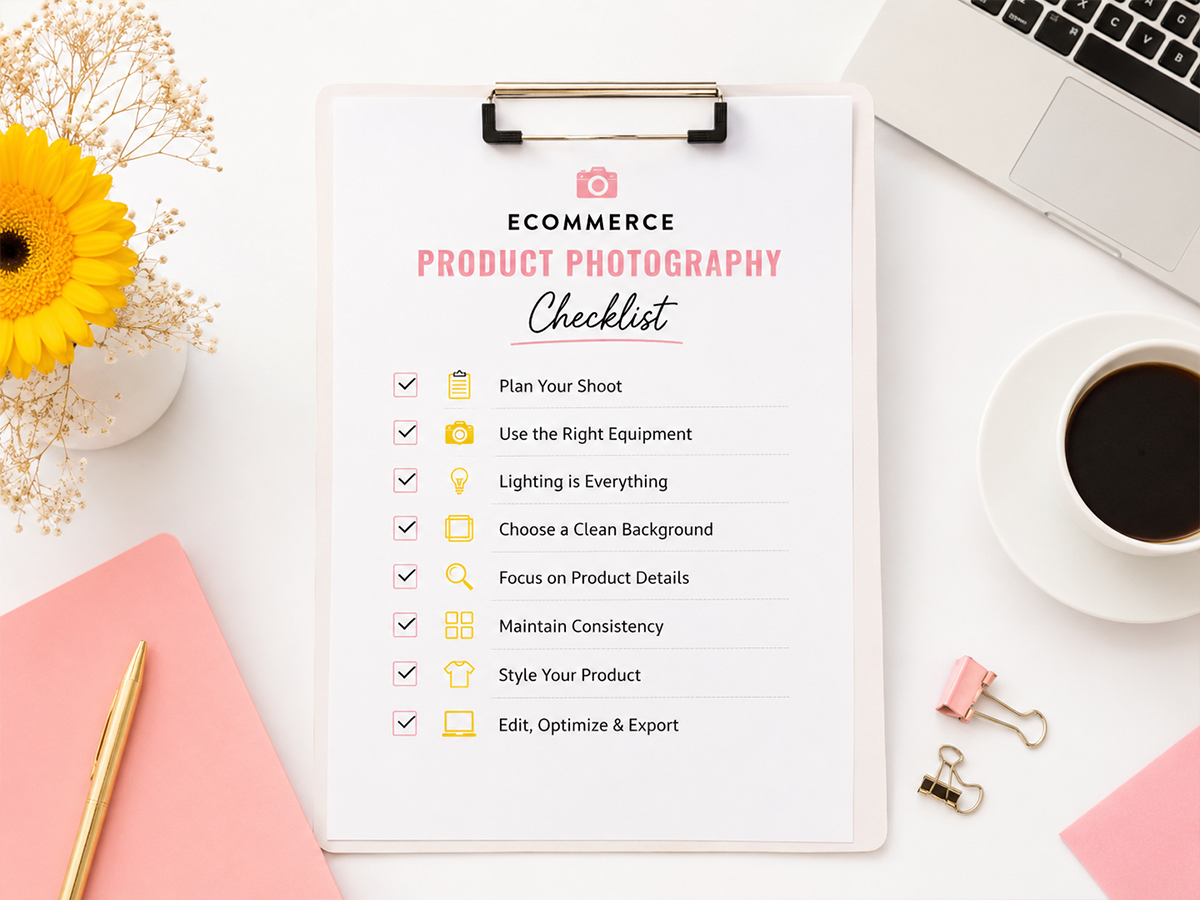
Successful product photography begins long before the camera is switched on. Brands that consistently produce high-converting product images follow a structured workflow that covers planning, styling, lighting, shooting, editing, and optimization.
Skipping preparation often results in inconsistent images, additional editing time, and costly reshoots.
Use this comprehensive checklist before every product photoshoot to ensure your images are ready for your website, marketplaces, social media, and paid advertising.
Before the Photoshoot: Plan for Success
Great product photography starts with careful preparation. Spending extra time planning the shoot helps ensure every image aligns with your brand and marketing objectives.
1. Understand Where the Images Will Be Used
Different platforms require different image styles and specifications.
Ask yourself:
✔ Will these images be used on your website?
✔ Do you need Amazon or Noon marketplace images?
✔ Will they appear in Google Shopping Ads?
✔ Are they for Meta Ads or Instagram campaigns?
✔ Will they be printed in catalogues or brochures?
✔ Do you need images for email marketing?
Planning image usage beforehand helps avoid expensive reshoots later.
2. Prepare Every Product Carefully
Even premium products can appear low quality if they aren’t properly prepared before photography.
Before shooting:
✔ Clean every surface
✔ Remove fingerprints
✔ Remove dust particles
✔ Check labels
✔ Steam fabrics
✔ Polish reflective materials
✔ Replace damaged packaging
✔ Prepare every product variation
✔ Organize accessories
Remember:
A camera often captures details invisible to the human eye.
3. Build a Product Shot List
Professional photographers rarely improvise.
Instead, they create a detailed shot list covering every required image.
Your checklist should include:
- Hero image
- Front view
- Side view
- Rear view
- Top view
- Bottom view (if relevant)
- 45-degree angle
- Packaging
- Product with accessories
- Close-up features
- Scale reference
- Lifestyle images
A structured shot list keeps photography consistent across your entire catalogue.
4. Prepare Brand Guidelines
Every product image should reinforce your visual identity.
Review:
✔ Background colours
✔ Lighting style
✔ Shadow style
✔ Image ratios
✔ Cropping
✔ Product positioning
✔ Colour profile
✔ Editing style
Consistency helps customers instantly recognise your brand.
5. Gather the Right Equipment
Professional equipment doesn’t guarantee great images—but it certainly helps.
Typical setup includes:
- DSLR or Mirrorless Camera
- Macro Lens
- Standard Zoom Lens
- Heavy-duty Tripod
- Softbox Lighting
- Light Tent (for smaller products)
- Reflectors
- Colour Checker Card
- Remote Trigger
- Styling Table
If you’re photographing products with a smartphone, use a tripod and external lighting to improve image quality significantly.
During the Photoshoot
Now it’s time to capture images that customers actually want to see.
Remember:
Your goal isn’t simply to photograph the product.
Your goal is to answer every question a customer might have before they buy.
Essential Product Images Every Online Store Needs
1. Hero Image (Most Important)
The hero image is usually the first thing customers see.
It should:
✔ Show the product clearly
✔ Be perfectly exposed
✔ Use a clean white background
✔ Fill most of the frame
✔ Highlight the product immediately
For Amazon, products should typically occupy around 85% of the image frame while maintaining a pure white background.
2. Multiple Product Angles
Customers expect to inspect products from every direction.
Capture:
✔ Front
✔ Back
✔ Left
✔ Right
✔ Top
✔ Bottom
✔ 45-degree perspective
This reduces uncertainty and helps shoppers feel confident.
3. Close-Up Detail Shots
People often purchase based on details.
Capture close-ups showing:
- Fabric texture
- Stitching
- Buttons
- Labels
- Zippers
- Product finish
- Materials
- Controls
- Connectors
- Premium craftsmanship
Research from Baymard Institute shows that shoppers frequently abandon purchases when they cannot clearly inspect product details online.
4. Lifestyle Photography
Lifestyle images help customers imagine ownership.
Instead of showing only the product…
Show how it fits into real life.
Examples:
Fashion
- Model wearing clothing
Beauty
- Product being applied
Furniture
- Product inside a living room
Kitchenware
- Product during cooking
Fitness
- Equipment in use
Lifestyle photography creates emotional connections that studio images alone cannot achieve.
5. Scale Reference Images
One of the biggest frustrations in online shopping is misunderstanding product size.
Include images showing:
✔ Product in someone’s hand
✔ Product beside common objects
✔ Model using product
✔ Comparison with familiar items
✔ Dimensions visually represented
These images help reduce returns caused by incorrect size expectations.
6. Packaging Photography
Customers increasingly care about packaging.
Especially for premium brands.
Include:
- Front packaging
- Open packaging
- Inside packaging
- Sustainable packaging
- Gift packaging
- Labels
- Instructions
Packaging photography is especially valuable for subscription boxes and luxury products.
Lighting Checklist
Lighting separates amateur photography from professional photography.
Always ensure:
✔ Soft lighting
✔ Even exposure
✔ Accurate colours
✔ Minimal reflections
✔ Natural shadows
✔ Consistent brightness
✔ No harsh hotspots
Softboxes remain one of the most effective lighting solutions for product photography because they create clean, even illumination without distracting shadows.
Composition Checklist
Every product image should feel balanced.
Check:
- ✔ Straight horizons
- ✔ Centered product
- ✔ Enough breathing space
- ✔ Consistent framing
- ✔ No distracting props
- ✔ Proper cropping
- ✔ Symmetry where appropriate
Small composition improvements create a significantly more premium appearance.
Background Checklist
Backgrounds should support—not compete with—the product.
Most eCommerce stores benefit from:
- White backgrounds
- Light grey backgrounds
- Neutral tones
- Lifestyle environments
Avoid:
- ✖ Busy patterns
- ✖ Distracting colours
- ✖ Cluttered scenes
- ✖ Competing objects
Remember:
Your product—not the background—should remain the focal point.
Capture More Than You Think You Need
One mistake many businesses make is capturing only the minimum number of images.
Professional photographers usually shoot dozens—or even hundreds—of frames for a single product.
This gives marketing teams flexibility later.
Capture extra images for:
- Website banners
- Instagram posts
- Stories
- Google Ads
- Meta Ads
- Blog articles
- Email campaigns
- Seasonal promotions
Planning ahead saves time and money in future marketing campaigns.
After the Photoshoot: Editing Checklist
The work doesn’t end when the camera is put away.
Professional editing transforms good photographs into polished marketing assets while ensuring they remain true to the product.
Your post-production checklist should include:
Image Enhancement
- Correct exposure and brightness
- Adjust white balance for accurate colours
- Improve contrast where needed
- Sharpen key product details
- Remove dust, scratches, and minor imperfections
- Maintain realistic textures and finishes
Background & Consistency
- Clean up backgrounds
- Ensure consistent shadows
- Align product positioning across the catalogue
- Maintain identical aspect ratios
- Match colour grading across all products
Consistency creates a more professional shopping experience and strengthens brand identity.
Export & File Management
Before uploading images:
- Export high-resolution master files
- Create web-optimized versions (WebP or compressed JPEG)
- Use descriptive filenames (e.g.,
black-leather-wallet-front.jpg) - Organize files into clearly labelled folders
- Back up original images
- Keep editable versions for future campaigns
A well-organized image library makes it easier to reuse visuals across websites, marketplaces, social media, and advertising campaigns without unnecessary duplication.
Pro Tip
Think beyond the product page. Every image you create today can become an asset for tomorrow’s Google Ads, Instagram campaigns, email newsletters, influencer collaborations, or seasonal promotions. Planning your photography with multiple marketing channels in mind maximizes your return on investment and reduces the need for frequent reshoots.
Image SEO Checklist: Help Customers and Search Engines Find Your Products
Creating high-quality product images is only half the job. To maximize their impact, they also need to be optimized for search engines, page speed, and user experience.
Image SEO helps your products appear in Google Images, improves your website’s performance, supports Google Shopping, and enhances accessibility. It also contributes to stronger rankings in AI-powered search experiences, where well-structured content and optimized media play an increasingly important role.
According to Google, page experience—including fast-loading images and mobile performance—remains an important factor in delivering a better user experience. Large, unoptimized images can slow down your website, increasing bounce rates and reducing conversions.
Use this checklist before publishing any product images.
Optimize Image File Names
Avoid uploading images with generic filenames such as:
- ❌ DSC_4589.jpg
- ❌ IMG_1023.png
Instead, use descriptive, keyword-rich filenames that clearly describe the product.
Examples:
- ✔ white-running-shoes-men.jpg
- ✔ organic-green-tea-500g-front.webp
- ✔ black-leather-office-chair-side-view.jpg
Descriptive filenames help search engines better understand your images and improve their visibility in image search.
Add Descriptive Alt Text
Alt text serves two important purposes:
- Improves accessibility for visually impaired users.
- Helps search engines understand image content.
Instead of keyword stuffing, describe the product naturally.
Poor Example
“shoe”
Better Example
“Women’s white leather running shoes with breathable mesh upper.”
Good alt text should describe exactly what appears in the image.
Compress Images Without Losing Quality
Large image files slow websites.
According to Google, even small improvements in page speed can improve user experience and engagement.
Before uploading:
✔ Compress images
✔ Remove unnecessary metadata
✔ Export optimized versions
Aim for images that balance quality with loading speed.
Use Modern Image Formats
Whenever possible, use:
- WebP
- AVIF (where supported)
These formats typically deliver significantly smaller file sizes than traditional JPEGs while maintaining excellent image quality.
For marketplaces that require JPEGs, upload optimized versions.
Maintain Consistent Image Dimensions
Consistency creates a more professional shopping experience.
Recommended practices:
- ✔ Uniform aspect ratios
- ✔ Consistent image sizes
- ✔ Equal product positioning
- ✔ Standardized backgrounds
Consistency also improves the appearance of category pages and product collections.
Enable Zoom Functionality
Customers want to inspect products closely.
Zoom features help buyers examine:
- Fabric texture
- Material quality
- Stitching
- Product finish
- Buttons
- Connectors
- Labels
The more detail customers can inspect, the more confident they feel making a purchase.
Optimize for Mobile Users
More than half of online shopping traffic now comes from mobile devices.
Before publishing:
- ✔ Test image loading speed
- ✔ Ensure images display correctly on smartphones
- ✔ Check cropping
- ✔ Test zoom functionality
- ✔ Verify responsive layouts
Mobile optimization is essential for both user experience and search performance.
Add Product Schema
Structured data helps search engines understand your products.
Include Product Schema with:
- Product name
- Brand
- Price
- Availability
- Reviews
- Product images
This improves eligibility for rich results and Google Shopping listings.
Submit Images Through Google Merchant Center
If you’re running Google Shopping campaigns, ensure product images meet Merchant Center requirements.
Best practices include:
- ✔ Clear product focus
- ✔ No promotional overlays
- ✔ High resolution
- ✔ Accurate representation
- ✔ White background (where applicable)
Product Photography Checklist for Shopify, Amazon & Noon
Different platforms have different image requirements.
Planning images for each platform prevents unnecessary editing later.
Shopify Best Practices
Shopify gives brands greater creative flexibility.
Recommended assets include:
- Hero image
- Multiple product angles
- Lifestyle photography
- Close-up details
- Product videos
- 360-degree views (where applicable)
- Zoom-enabled images
A rich product gallery improves engagement and helps customers make informed buying decisions.
Amazon Product Photography Checklist
Amazon has strict image guidelines.
Checklist:
- ✔ Pure white background
- ✔ Product occupies approximately 85% of the frame
- ✔ High resolution
- ✔ No promotional graphics
- ✔ No watermarks
- ✔ Multiple product images
- ✔ Lifestyle images (secondary gallery)
- ✔ Feature highlights
Following Amazon’s requirements helps improve listing quality and reduces the risk of image rejection.
Noon Marketplace Checklist
For Noon sellers:
- ✔ Clean white backgrounds
- ✔ Multiple product angles
- ✔ Packaging images
- ✔ Size references
- ✔ Consistent lighting
- ✔ Accurate colours
- ✔ Brand consistency
Strong visuals help products stand out in competitive marketplace search results.
DIY vs Professional Product Photography
Many growing businesses ask whether they should photograph products themselves or hire professionals.
The answer depends on your budget, catalogue size, and brand positioning.
| DIY Photography | Professional Photography |
|---|---|
| Lower upfront cost | Premium image quality |
| Basic equipment | Professional cameras and lighting |
| Time-consuming | Faster production workflow |
| Limited editing | Advanced retouching |
| Inconsistent branding | Consistent visual identity |
| Learning curve | Experienced creative team |
| Suitable for startups | Ideal for scaling brands |
DIY photography can work for early-stage businesses with limited budgets.
However, as brands grow, professional photography often delivers a stronger return through improved conversion rates, better advertising performance, and greater customer trust.
If you’re evaluating creative options, you may also wonder whether CGI is a better fit for certain products. Read our guide Product Photography vs CGI: Which Delivers Better Results? to understand when each approach makes the most sense.
AI Is Transforming Product Photography
Artificial intelligence is reshaping creative workflows across the photography industry.
Modern tools can now assist with:
- Background removal
- Object cleanup
- Colour correction
- Image upscaling
- Shadow generation
- Lifestyle scene generation
- Batch editing
Popular AI-powered tools include:
- Adobe Photoshop AI
- Adobe Firefly
- Canva AI
- Topaz Photo AI
These tools help photographers work more efficiently but don’t replace the need for authentic product imagery. Customers still expect images to accurately represent the product they will receive.
For most eCommerce businesses, AI works best as a productivity tool that enhances professional photography rather than replacing it.
Common Product Photography Mistakes That Reduce Sales
Even well-designed online stores lose conversions because of avoidable photography mistakes.
Watch out for these common issues:
Low-Resolution Images
Blurry or pixelated images immediately reduce customer confidence.
Inconsistent Backgrounds
Different backgrounds across products create an unprofessional shopping experience.
Poor Lighting
Dark shadows, colour casts, or uneven exposure can misrepresent the product and discourage purchases.
Too Few Product Images
Customers want to explore products from multiple angles before buying.
Aim for at least 5–8 images per product, including lifestyle and detail shots where appropriate.
Over-Editing
Heavy retouching may make products look attractive, but it can also create unrealistic expectations that lead to returns and dissatisfied customers.
Missing Scale References
Without context, customers may struggle to understand the product’s true size.
Include dimensions, comparison images, or in-use photography whenever possible.
Ignoring Mobile Users
Images that look perfect on a desktop may appear cropped or difficult to view on smartphones.
Always test the mobile experience before publishing.
Forgetting SEO
Uploading large image files without descriptive filenames, alt text, or compression can negatively affect page speed and reduce opportunities to appear in image search results.
Expert Insight
At Glomm, we’ve found that businesses often invest heavily in paid advertising while overlooking one of the most influential factors in online sales: product imagery.
A compelling ad may drive traffic, but it’s the product photos that ultimately build trust and persuade customers to buy. Investing in professional photography isn’t just a creative decision—it’s a business decision that strengthens every marketing channel, from organic search and Google Shopping to social media, marketplaces, and email campaigns.
Expert Perspective: Great Product Photography Is a Revenue Driver, Not Just a Creative Asset
Many businesses still treat product photography as a one-time expense or something to “tick off” before launching a website. In reality, it’s one of the highest-return investments an eCommerce brand can make.
According to Forrester Research, improving the online customer experience can significantly increase conversion rates, customer loyalty, and average order value. Product imagery plays a central role in that experience because it reduces uncertainty, answers buyer questions visually, and builds trust before a customer ever reaches the checkout page.
At Glomm, we’ve worked with brands across fashion, beauty, retail, lifestyle, and consumer products, and one pattern remains consistent: businesses that invest in professional, consistent product photography generally see stronger engagement across every digital channel.
High-quality visuals don’t just improve product pages—they enhance:
- Google Shopping campaigns
- Meta and Instagram Ads
- Social media engagement
- Email marketing performance
- Marketplace listings (Amazon, Noon)
- Organic SEO
- PR and media coverage
- Influencer collaborations
In other words, a single professional photoshoot can support your marketing efforts for months while reinforcing your brand identity at every customer touchpoint.
If you’re planning to scale your business, it’s also worth understanding why many successful companies choose to outsource creative work instead of managing it in-house. Read our guide on Why Fast-Growing Brands Outsource Marketing for UAE Businesses to see how outsourcing can improve efficiency, reduce costs, and accelerate growth
Final Checklist Before Publishing Product Images
Before uploading any product images to your website or marketplace, make sure you’ve completed the following:
Product Preparation
- ✔ Clean and inspect every product
- ✔ Remove dust, fingerprints, and imperfections
- ✔ Organize accessories and packaging
- ✔ Prepare all product variations
Photography
- ✔ Hero image
- ✔ Multiple angles
- ✔ Close-up detail shots
- ✔ Lifestyle images
- ✔ Packaging photos
- ✔ Scale reference images
- ✔ Consistent lighting
- ✔ High-resolution images
Editing
- ✔ Colour correction
- ✔ Background cleanup
- ✔ Realistic retouching
- ✔ Consistent cropping
- ✔ Export optimized files
SEO & Performance
- ✔ Descriptive filenames
- ✔ Keyword-rich alt text
- ✔ WebP or compressed JPEG
- ✔ Mobile optimization
- ✔ Product Schema
- ✔ Fast loading speed
- ✔ Google Merchant Center compliance
Final Thoughts
In today’s competitive eCommerce landscape, customers don’t just buy products—they buy confidence. And confidence begins with what they see.
Professional product photography does far more than make your catalogue look attractive. It helps customers understand product quality, compare features, visualize ownership, and make informed purchasing decisions. The result is a stronger shopping experience, increased trust, fewer returns, and higher conversion rates.
When paired with image SEO, marketplace optimization, and consistent branding, great photography becomes one of your most valuable marketing assets. It supports every stage of the customer journey, from appearing in Google Images and Google Shopping to capturing attention on Instagram, Amazon, Noon, and your own website.
Whether you’re launching a new Shopify store, refreshing an existing product catalogue, or preparing for a major marketing campaign, following this checklist will help ensure your visuals work as hard as the products themselves.
Need Professional eCommerce Product Photography in Dubai?
If you’re ready to create high-converting product images that strengthen your brand and increase online sales, Glomm’s eCommerce Product Photography in Dubai service can help.
Our creative team specializes in:
- Product photography for eCommerce websites
- Amazon and Noon marketplace photography
- Shopify product imagery
- Fashion and apparel photography
- Beauty and skincare photography
- Food and beverage photography
- Jewelry and luxury product photography
- Lifestyle and campaign photography
- Image retouching and optimization
Whether you’re photographing a single hero product or an entire catalogue, we create visuals designed to perform across websites, social media, marketplaces, and paid advertising.
Professional product photography helps customers understand what they’re buying, builds trust, improves conversion rates, reduces returns, and strengthens your brand across websites, marketplaces, and advertising channels.
Most eCommerce stores should use 5–8 images per product. This typically includes a hero image, multiple angles, close-up detail shots, lifestyle photography, and size reference images.
A clean white background is ideal for marketplaces like Amazon and Google Shopping, while lifestyle backgrounds work well for websites, social media, and advertising campaigns. Many brands use a combination of both.
Yes. Modern smartphones can produce excellent results when paired with good lighting, a tripod, and proper editing. However, professional photography is generally the better choice for brands looking to scale, maintain consistency, and create premium marketing assets.
Yes. Optimized product images contribute to image search visibility, improve page speed, support Google Shopping listings, and enhance accessibility through descriptive filenames and alt text.
It depends on your goals. Product photography is ideal for showcasing real products with authenticity, while CGI is useful for creating product variations, visualizing prototypes, or demonstrating complex products. Many brands successfully combine both approaches.
For websites, WebP offers an excellent balance of quality and performance. JPEG remains widely used for marketplaces, while PNG is suitable when transparency is required.
Update your product photography whenever you launch new products, redesign packaging, refresh your branding, introduce seasonal collections, or notice declining engagement and conversion rates.
Costs vary depending on the number of products, image requirements, styling, models, locations, editing, and production complexity. While professional photography requires an upfront investment, the long-term return often comes through higher conversions, stronger brand perception, and reusable marketing assets.
Absolutely. Even startups and small businesses can benefit from professional photography because high-quality visuals help establish credibility, compete with larger brands, and improve marketing performance across digital channels.